
Open Destinations in eventabee before starting this guide.
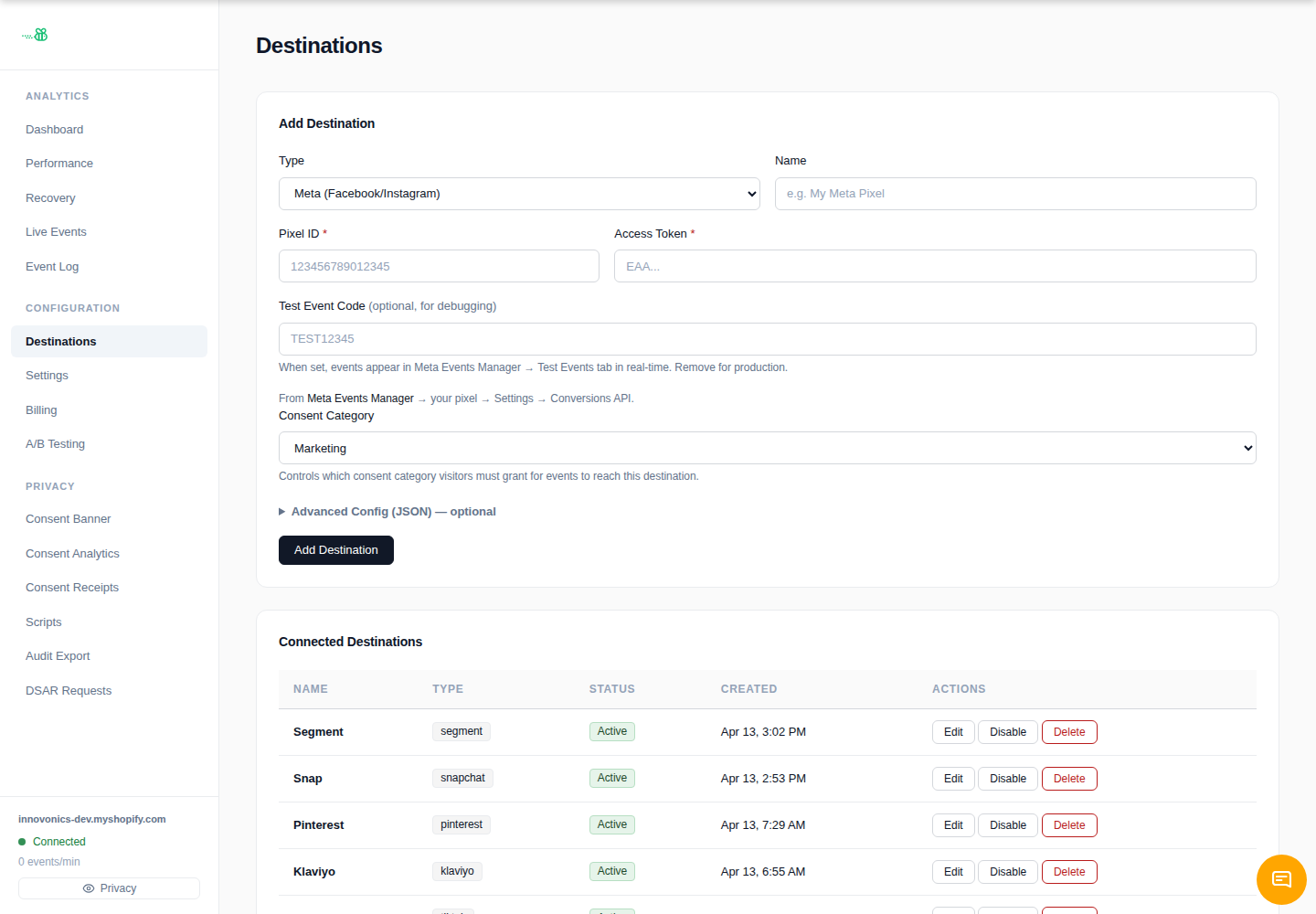
Click Add Destination, choose the destination type when it is available, give it a clear name, and save it. Then click Edit on the destination to fill in the structured fields and set the consent category.
If the type is not shown in the Add Destination menu, use Request a destination instead. eventabee currently exposes Meta, Google Analytics / Ads, TikTok, and Webhook directly in the add form; additional first-party connectors can be provisioned after review.
1. Create a Pixel in TikTok Events Manager
In TikTok Events Manager, create or open the pixel you want eventabee to send server events to.
2. Generate an access token
Generate an Events API access token for that pixel.
3. Paste into eventabee
In the TikTok destination editor, fill in:
- Pixel ID — required.
- Access Token — required; stored as a secret and hidden after save.
- Test Event Code — optional for validation.
- Consent Category — normally Marketing.
4. Verify
Trigger storefront activity and check **Event Log** in eventabee plus TikTok's Events Manager testing tools.
Troubleshooting
- Leave the test event code blank for production traffic.
- If TikTok receives events without attribution, confirm your storefront is collecting enough browser/session identifiers and that consent allows marketing events.