
eventabee is designed so browser-side and server-side signals can be reconciled without double-counting conversions.
The pattern
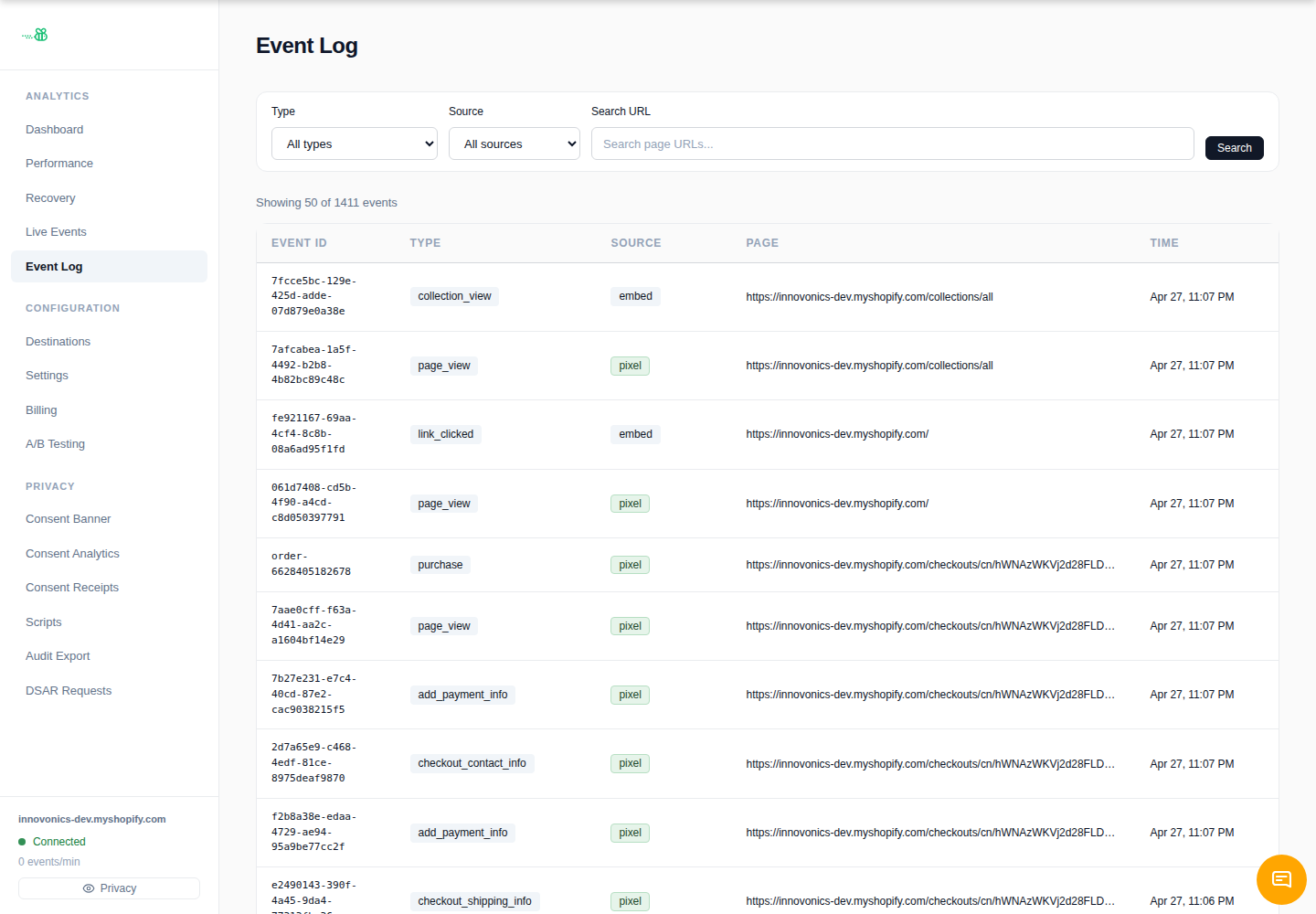
Each tracked event carries an event ID. Destination integrations use that ID, plus destination-specific identifiers where supported, so platforms such as Meta, TikTok, Google, and other connectors can deduplicate browser and server events.
What you need to do
- Keep the Shopify Web Pixel and eventabee theme app embed enabled.
- Do not install duplicate manual eventabee snippets.
- Use one active destination per ad account/pixel unless support recommends otherwise.
- Leave destination event IDs untouched in advanced config.
How to check dedup is working
- Trigger a storefront event.
- Open Event Log and inspect the event ID and destination deliveries.
- Check the destination’s diagnostics/debug tool for deduplication or event-match status.
Per-destination behavior
Each vendor reports deduplication differently. Meta and TikTok expose event/test tools; GA4 and other analytics tools may show data only after processing delays.
Edge cases
- Duplicate Shopify pixels or old manual snippets can create duplicates.
- Test-event modes can change where events appear in vendor dashboards.
- Backfills/replays should be used carefully because not every vendor dedupes every event type the same way.