
Use Event Log, destination detail rows, and failed-delivery retry actions to diagnose destination problems.
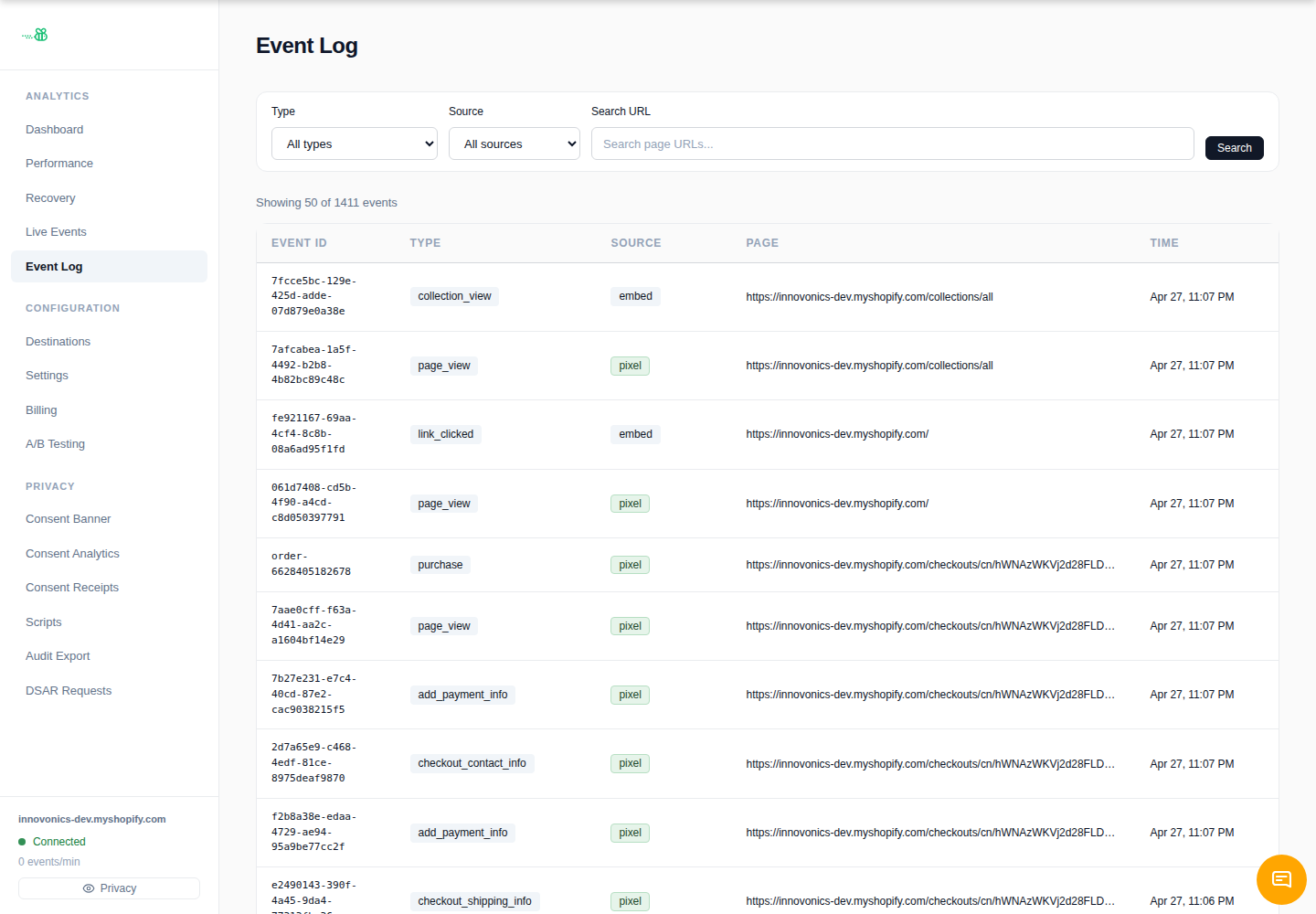
The event log
Open Event Log and click an event to inspect its details. Use it to answer:
- Did eventabee receive the event?
- Which destinations were eligible?
- Was delivery sent, waiting, failed, or consent-blocked?
- What response code or error message came back from the destination?
Failed deliveries and retries
eventabee retries transient failures automatically. Failed delivery rows expose retry/attempt details in the admin UI where available. Use retry after fixing credentials, endpoint URLs, destination permissions, or vendor-side outages.
Common failure modes
- 401/403: token is invalid, expired, or lacks access to the account/dataset/pixel.
- 404: wrong endpoint, dataset, pixel, or account ID.
- 429: vendor rate limit. Wait and let retries continue.
- 400: payload rejected; check required fields and whether the vendor supports that event type.
- Consent blocked: the visitor has not granted the destination’s consent category.
No separate DLQ page
The merchant UI surfaces failed/exhausted delivery state through delivery/event views rather than a standalone dead-letter-queue page. For bulk replay or unusual recovery, contact support with the event IDs and destination name.
Partial outages
If only one destination is failing, leave other active destinations enabled. Fix the failing destination, then retry or request replay for the affected rows.